
Violet Rollergirl’s Website Colophon
col·o·phon
1: an inscription at the end of a book or manuscript usually with facts about its production
2: an identifying mark used by a printer or a publisher
I’m pretty proud of my Web site. Sometimes, other providers ask me how I made this site. Some clients have, too.
There are some novel things about it that I’d like to highlight, like my unique mad-lib style booking form, cryptocurrency payment integrations, and deep-linkable anchors.
So here’s a bit of technical information regarding how it all works. But, first…shall we play a game?
On this page
- Easter eggs
- Technology stack
- Client-side booking form
- Targetable deep-links for every anchor
- Cryptocurrency tips and donation links
Easter eggs
One thing I love about technology, especially information technology, is that it turns words into spellcraft. Think of me as a modern day witch: by inscribing my desires into electricity and stone, I am invoking my desires into the world and literally crafting spells to bring you to me.
In that spirit, I’ve sprinkled numerous easter eggs for you to find around my site.
Some of them are just for fun and amusement. Others will actually earn you discounts when booking, if you’re clever enough to discover them, so it behooves you to read closely and explore boldly.
Sometimes, they’ll be marked with this sequence: , encouraging you to look more closely. Other times they’ll simply be described as such textually. And sometimes, they’ll be hidden somewhere in the site itself, where you’ll need to 🤭 go deeper to decode them.
Happy hunting. ;)
Technology stack
My site is built on a very heavily customized rendition of a Jekyll template intended for a photography portfolio that I modified myself. The original template provided the gallery view, the panel switching behavior, and the color scheme. I added all other elements and features.
No server required
Jekyll is a popular static site generator written in the Ruby programming language. There are many such static site generators, but I am personally most familiar with Jekyll. It uses a free templating language called Liquid (originally developed by Shopify) to provide basic build-time logic and coalesce static HTML, CSS, and JavaScript page assets from individual reusable snippets.
Since my site is entirely static (c.f., dynamic, such as with a WordPress, Squarespace, Wix, or other site technology whose templates are not pre-rendered), I require no server-side compute cycles to publish it. All I require is a Domain Name System (DNS) registration and a Web (HTTP) server. This makes my site easy for me to migrate from one server to another when I need to (or if, like most sex workers, I am eventually banned from one platform or another), and also makes it relatively inexpensive to host.
This characteristic also forms the basis of some of the more novel and security-aware features I’m most proud of.
Client-side booking form
My contact page includes a booking form that has some especially unique properties.
Mad-lib style form prose
Most obviously, my booking form is written from the perspective of a client’s message to me in a “mad-lib style” block quotation with input fields embedded in the prose, rather than being presented as a traditional data entry task. The prose mimics an ideal client inquiry, and my intention in presenting my booking form this way was to help clients learn what a model inquiry reads like by literally writing such an inquiry and simply requiring them to fill in the blanks. The booking form itself is accompanied by a thorough booking guide, which details each field’s purpose and walks through the complete booking process for anyone who desires such handholding.
The form itself is special in several other ways, too.
HTML5 form features
Beyond being designed to help clients structure a first message to me in natural language speech, it uses HTML5 form input types such as tel, datetime-local, and number to more precisely shape what can be entered while making the most use of the visitor’s Web browser’s built-in user interface elements. HTML5 client-side form validation attributes such as required are also included to ensure the form data a visitor enters passes basic data entry validation checks performed by the browser itself before being “submitted.”
Privacy guarantees of first contact
Most uniquely, my booking form does not use a third-party service to send me emails when a client “submits” the form.
Yes, that brings up a few questions. One biggie is, “why?” The second is probably, “how?”
Why my booking form doesn’t use a third-party service
To answer the first question, it’s because I designed my booking form with the privacy of my clients and the protection of our correspondence as its top priority.
Since a client’s first inquiry can contain sensitive details such as screening or verification information, every additional entity (person, service provider, third-party, whatever) who’s privy to our correspondence represents an added risk. Minimizing this number is an effective way to reduce that risk. For obvious reasons, this business requires a commitment to discretion, so it’s critical that my correspondence with potential clients remain absolutely confidential and secure.
Moreover, the one purpose of a booking form is to shape an introductory message and put it in a high-priority inbox so that clients are more likely to get a reply from me. That’s something your phone or computer can already do on its own.
How my booking form avoids needing a third-party service
Most booking forms transmit the information typed into them to a remote server, which then relays that same data onwards to the form’s addressee. Mine doesn’t. Instead, it simply composes a message for you, and opens your chosen messaging app so you can send the pre-written message yourself.
This way, there’s no additional relay service. It’s just you and me, the way discreet messaging is supposed to be.
My booking form accomplishes this using technology older than Web forms: standardized URI schemes.
I did it this way because I can safely assume your phone or computer already has the messaging app you want to use, such as Signal Private Messenger, WhatsApp, an email client (like GMail or ProtonMail), or an SMS/text messaging application. Every phone has at least one of these already installed in it (that’s what phones are for) so every phone is already all but guaranteed to be technically capable of sending me a message. All the booking form has to do is format the text.
For example, say a client prefers communicating via email so they choose the “email” option at that point in the form. When they do this, the form’s submit button now becomes a button that launches their phone or computer’s built-in email app or (web)mail client. The email app or mail client already knows how to handle being told to write a new message, and so a new email with templated, pre-drafted body text is automatically composed. All that’s needed now is to attach screening documents to the email and press the “Send” button.
Likewise, should a client express that they prefer communicating via WhatsApp, my form’s submit button changes to make use of WhatsApp’s automated message composition feature. Just as with email, a precomposed message appears on their phone. That message is already addressed to my WhatsApp number. They now merely need to attach their screening documents, and then press the “Send” button.
Most communication apps have this templating capability. An exception is Signal, which is why my form also has a “Copy Inquiry to Clipboard” button. That button does what it says on the tin: it puts the templated message into the user’s clipboard, ready to be pasted into whatever text field they like, such as a Signal Private Messenger message.
More technically, all of this works by having a bit of JavaScript swap out the form’s submit event with a click action on another link in the page whose URL href attribute value is modified as the form is being filled out. Links whose destination is an SMS (text message) use the sms: scheme. Emails use the mailto: scheme. Jabber/XMPP instant messages use the xmpp: scheme. Signal and WhatsApp messages are registered to fully-qualified URLs at signal.me and wa.me, respectively, and will ordinarily be handled by the URL protocol handlers registered with the browser or Operating System upon installation of that app.
This process circumvents every other middle man. My web host never receives the data entered in the form (the form merely composes some text), nor does any other service like Google Forms, TypeForm, Jot Form, and so on. Such third and even fourth parties are often used by booking forms across the industry. To be clear, none of those form submission services actually provide the level of privacy that some of them claim to.
Hell, I’d be happy to prove this claim to you in person, perhaps while in my panties, if that thought appeals. ;)
I believe the boon to privacy I gain by using this technique outweighs the disadvantage of possible user confusion: by directly invoking a locally installed app instead of submitting data to a remote third-party service, I’m able to actually provide prospective clientele exactly as much privacy as their chosen communication method implements because only their chosen communication method is party to their messages.
Of course, it takes two to tango. If someone chooses to send an insecure SMS/text message instead of a Signal Private Messenger message, the privacy of our correspondence will be subpar. But at least my actions are not the ones forcing us to downgrade our security, and I can still take inquiries via the method that specific prospect prefers.
Steal my booking form code
I don’t mean to denigrate other providers in comparing my booking form to theirs. Rather, my intent is to share my methods here in the hope that other providers implement these techniques for themselves. If more do so, we can collectively raise the standard of privacy protections offered to the clientele in our industry more broadly.
Sex, pleasure, and companionship is a team sport. It’s clear that when we protect the communication with our clients, we protect ourselves. When our clients protect us, they are also protecting themselves, too.
Please feel free to try my form out and experience how it works for yourself. If you do, I just ask that you please also let me know it’s just a test, and not a real inquiry when you actually send me a message so I know you’re simply enjoying trying out this tech. Unless…. <3
Targetable deep-links for every anchor
My web site contains a lot of information about me and my offerings. In order to make every part as easy to find as possible, I’ve ensured each element can be referenced with a fragment identifier by including an id attribute to the appropriate HTML element. This means each individually ID’ed element also functions like a permalink and, when accessed, CSS rules create a halo effect around that element highlighting it visually.
Try it out: see my incall availability and note how the heading glows in response.
Cryptocurrency tips and donation links
In keeping with my commitment to privacy, on my links page is a section listing options for tipping me using privacy-preserving digital money known as Zcash and Monero. For both of our safety and discretion, I strongly prefer cryptocurrency over fiat payments and have devoted significant time to helping you learn to use crypto if doing so is something you haven’t done before.
The “z” in Zcash stands for “zero knowledge,” which is a branch of cryptography that makes it possible to assert mathematical proofs without having full visibility into the arguments of the proof itself. Practically, this makes it possible to devise electronic payment systems that share some of the beneficial properties of cryptocurrency systems like Bitcoin but without being subjected to its most undesirable requirement of one’s financial transactions being fully publicly published on its transparent ledger for all the world to see.
Put another way: Zcash (and other effective “privacy coins” like Monero) are to money what Signal Private Messenger is to speech.
I also accept deposits and full payment in these privacy-preserving cryptocurrencies, which means it is possible to engage my services in a way that provably leaves absolutely no public (unencrypted) data trail that my services were ever engaged by you. By making myself available for contact through Signal Private Messenger via my booking form and for payment via Zcash, there is no point in any of my remote interactions with a client that any digital third party or eavesdropper might be able to snoop on or learn about our interactions.
I reuse the same technique of registering URL protocol handlers that my booking form uses for these cryptocurrency donation options. Both Zcash and Monero have standardized URL schemes for invoking various intended actions through links, and I have implemented those on my site. These are specifically the zcash: scheme described by the Zcash Improvement Proposal (ZIP) 321, and the monero: scheme described by the Monero Project’s TX Scheme paper.
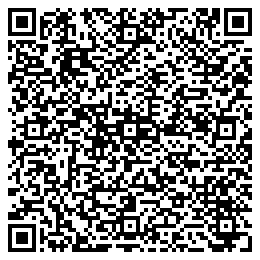
I further provide QR codes that encode the same URI data into an image for easy access by wallet apps like Zodl or Cake Wallet that provide QR code scan functionality. You can click or scan the QR codes of my donation links on my site to send me Zcash or Monero denominated cryptocurrency conveniently as a tip, gift, donation, deposit, or full payment at any time. While I also accept Bitcoin and Ethereum, I do not prefer them as transactions on those ledgers are published publicly and with full payment details to the world, making them subpar options for private payments outside of personal correspondence.